

Download RetroHub – retro gaming, emulator frontend, ROM management, game library, customizable interface, Android app, classic games, gaming collection
Overview
RetroHub is a dedicated Android application designed to serve as a streamlined and customizable frontend for managing emulator-based gaming libraries. Tailored for retro gaming enthusiasts, the app simplifies the process of organizing and launching ROMs stored on connected devices or local storage. Its primary function is to act as a centralized hub, allowing users to access classic games from a variety of consoles with minimal setup effort. By integrating essential tools for metadata retrieval and library organization, RetroHub enhances the overall retro gaming experience on mobile devices.
The app targets users who maintain extensive collections of ROMs across multiple systems, including PlayStation, Xbox 360, and Sega consoles. It caters to both casual players seeking a clean interface and advanced users who value customization and control. While the developer is listed as the RetroHub Team, no additional background information is available regarding their history or other projects. The app operates within the Android ecosystem and is designed to support a range of emulator integrations, enabling seamless transitions between different gaming platforms.
RetroHub fills a niche in the mobile app landscape by bridging the gap between complex emulator setups and user-friendly access. For users managing large collections, the app provides a consistent, visual interface that improves discoverability and usability. It is particularly valuable for those who frequently switch between consoles or want to maintain a polished, professional-looking game library on their smartphones or tablets.
Key Features & Functionality
- User-Friendly Setup Wizard: Upon first launch, RetroHub guides users through a configuration process that allows them to select preferred emulators, define storage paths, and set default screen resolution. This initial setup ensures the app aligns with individual preferences and hardware capabilities.
- Integrated Scraping Tool: The app includes a built-in scraper that automatically downloads metadata such as game titles, descriptions, cover art, and ratings. This feature significantly reduces manual effort in organizing large ROM libraries, making them visually consistent and informative.
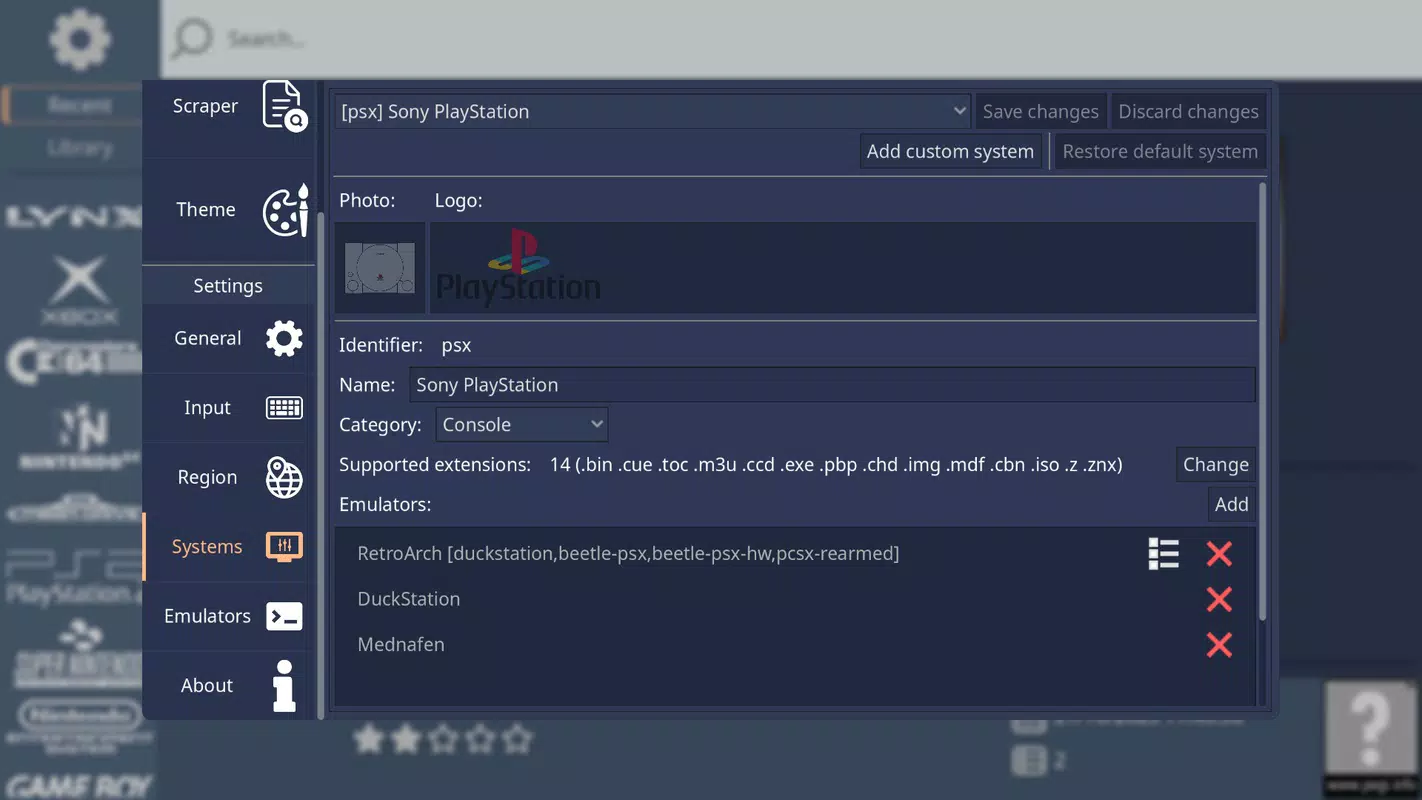
- Versatile Console Support: RetroHub supports a wide array of console systems through compatible emulators. Users can launch ROMs from PlayStation, Xbox 360, Sega, and other classic platforms, enabling access to a diverse range of retro titles from a single interface.
- Customizable User Experience: With support for over thirty emulators, the app offers high flexibility in configuration. Users can tailor the interface, layout, and launch behavior to suit their preferred gaming environment, whether on a phone, tablet, or connected display.
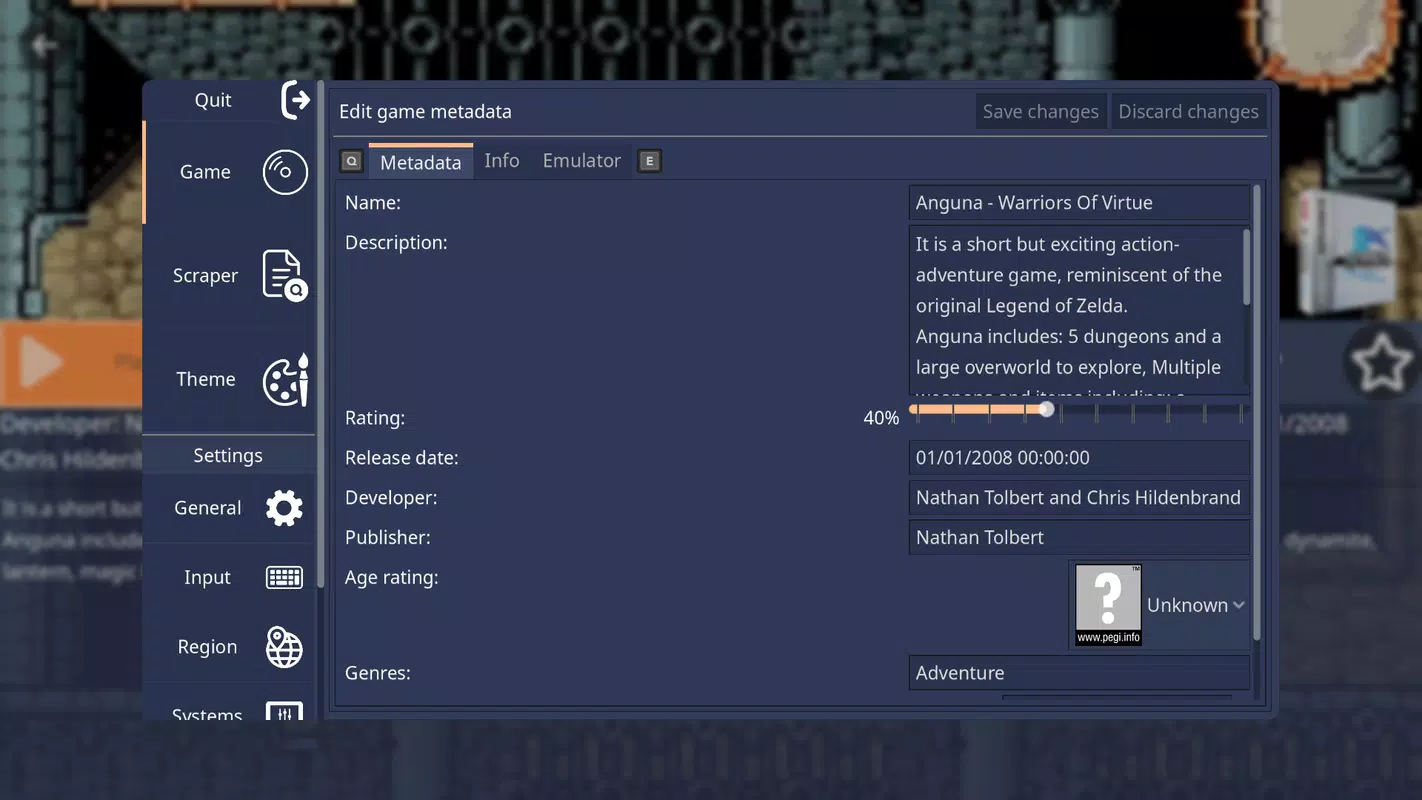
- Manual ROM Metadata Editing: While automation is available, RetroHub also allows users to manually edit game data. This ensures accuracy and personalization, letting users correct inconsistencies or add custom notes to their collection.
For example, a user with a 1TB external drive containing thousands of ROMs can use the setup wizard to define the storage location and then leverage the scraping tool to populate missing artwork and descriptions. Later, they can refine entries manually to match their personal collection style. This combination of automation and control makes RetroHub ideal for both beginners and experienced retro gamers.
Interface, UX & Performance
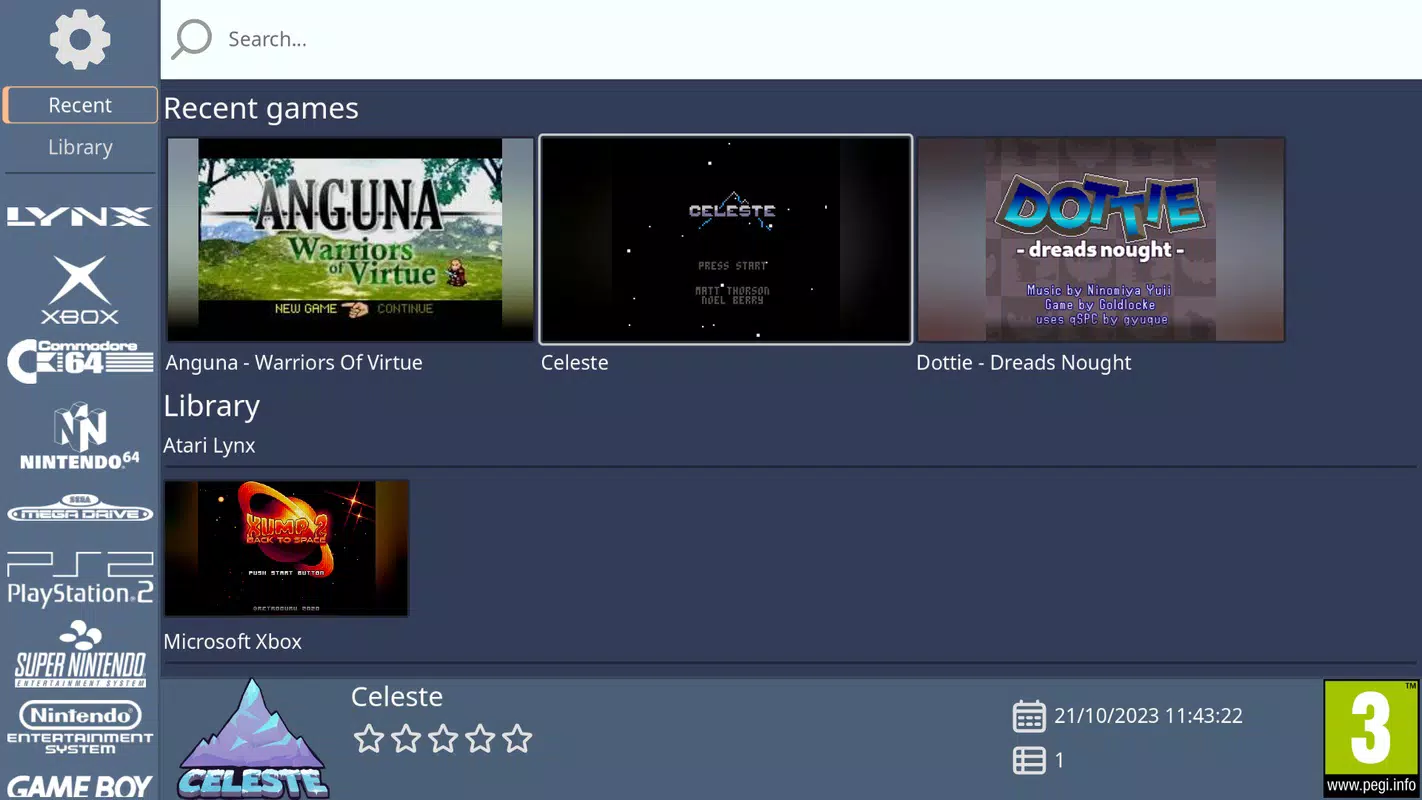
RetroHub features a clean, intuitive interface designed for efficient navigation and visual clarity. The layout emphasizes ease of access, with game grids, system categorization, and quick-launch options clearly presented. The visual style is modern yet retro-inspired, aligning with the nostalgic theme of classic gaming. Navigation is straightforward, relying on consistent menus and logical grouping to minimize user confusion.
Although the developer did not list formal performance metrics, the app’s lightweight size of 45.2 MB suggests optimized resource usage. It is expected to run smoothly on mid-range and high-end Android devices, though performance may vary depending on device capabilities and the number of active emulators. Responsiveness appears to be a priority, with quick loading times for game lists and smooth transitions between screens.
Stability is likely maintained through modular design, allowing users to enable only the emulators they need. The app does not report crashes or bugs in public disclosures, indicating a reliable core experience. However, compatibility with specific emulators may depend on third-party integration, and users should ensure their emulator configurations are properly set up for optimal results.
Platform Compatibility & Technical Requirements
RetroHub is available exclusively on the Android platform. The current version is 1.2.0, and the app has a file size of 45.2 MB, making it a lightweight download suitable for most mobile devices. The developer did not specify minimum OS requirements or device compatibility details. As such, users should ensure their Android device meets standard app installation criteria.
Given the app’s focus on ROM management and emulator integration, it likely requires access to local storage and potentially external drives or networked storage. The app may also need permissions to read and write files, though specific permission details were not disclosed. Users should verify compatibility with their device’s storage architecture and emulator setup before installation.
Pros and Cons
- Lightweight size (45.2 MB) for efficient installation
- Comprehensive setup wizard for easy initial configuration
- Integrated scraping tool for automatic metadata retrieval
- Support for over thirty emulators across multiple console systems
- High degree of customization for interface and launch behavior
- Manual metadata editing for precise collection control
- Specific OS requirements were not listed
- Permission details were not disclosed
- Dependent on external emulator installations
- Performance may vary based on device and emulator load
- Compatibility with specific ROM formats not confirmed
FAQ
Is RetroHub free to download and use?
Yes, RetroHub is available at no cost. The app is listed as free, with no in-app purchases or subscription models disclosed.
Does RetroHub work with all emulators?
RetroHub supports over thirty emulators, but it does not guarantee compatibility with every emulator available. Users must ensure their chosen emulators are properly configured and installed on the device.
Can I use RetroHub on iOS devices?
Currently, RetroHub is only available on Android. There is no official release or indication of iOS compatibility at this time.
How do I update RetroHub?
Updates are typically distributed through the Google Play Store or official developer channels. Users should check for updates in their app store or visit the developer’s website for the latest version.
Is it safe to download ROMs through RetroHub?
RetroHub itself does not host or distribute ROMs. It only manages metadata and launches existing ROM files. Users are responsible for ensuring their ROMs are legally obtained.
Final Thoughts
RetroHub stands out as a powerful yet accessible tool for retro gaming enthusiasts on Android. Its blend of automation and customization makes it an ideal choice for organizing large collections and launching classic games with ease. Whether you're a beginner setting up your first emulator library or an experienced user refining your retro setup, the app offers the flexibility and functionality needed for a seamless experience.
With its clean interface, integrated scraping, and support for multiple consoles, RetroHub enhances the mobile retro gaming ecosystem. It transforms a potentially fragmented process into a unified, enjoyable journey. For anyone passionate about preserving and playing classic games, this app delivers tangible value.
Download RetroHub now


